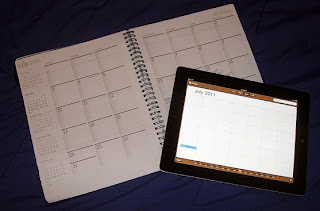
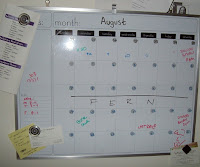
I am a goggle fanatic. I use it daily sometimes hourly. I have two email accounts, a blog, and Goggle+ account. However, I can not get used to Google Calendar. I grew up using computers in some form from the age of 8 but there are still somethings I have to do the "old fashioned way". While Google Calender can go anywhere on any device. I like being able to physically change and add things. That's why I've also using been the wipe-off calendar above my desk since high school and why I buy a paper planner every year. There is something satisfying to the ritual of keep a physical calendar. I like that I can flip through the pages of my event book and see where I am going and where I've been. I get a sense of accomplishment to wiping of everything off of my desk calendar and updating it every two weeks or so. It keeps me focused on what is ahead. Now that I have an I pad I may try to use Google Calender when school starts...but if I do I know I'll still keep up with my wipeoff board.

A few weeks ago
cdp23 introduced us to Pushnote. While an interesting application, I found it to be more of a hindrance than a help. Another account to keep track of, check, and update. As I have mentioned before it also didn't seem to provide information on sites I wanted. This weeks suggestions of Evernote led me to roll my eyes figuring this would be more of the same. Not so. Evernote is what I have always wanted from
delicious it lets you clip and organize websites, keeps notes, and sync this record to call devices...kind of like a combination between Delicious, Pushnote, and Dropbox. I beyond anal retentive about organizing my bookmarks...especially the ones I visit often..Evernote allows me to "clip" the website and add notes to it. The only thing that disappointed me is that it there is currently no web clipper for the Ipad.

One of the other great features of Evernote is that besides the fact that I can sync my library from my laptop and my Ipad ....is that I can also sync it with other applications.
Evernote Trunk is an part of the Evernote site that lists all the applications you can use with Evernote. I can sync PDFs from my Dropbox to Evernote and make notes on them, I can sync emails and add notes, etc.
One cool application I found through trunk is called:
 Like Flashcard Machine....Study Blue allows you to create flash cards, and search share or upload flashcards made by others. However, StudyBlue also allows you to store, share, create, and download notes. Click the image below to see a screen shot of StudyBlue flash card creator.
Unfortunately for NOW you can only create flash cards on computers however the Study Blue Ipad app does allow you to view the notes and flash cards already existent in your account. I DO NOT recommend using StudyBlue on the Ipad for anything but flashcards.
There is a way to sync your StudyBlue notes to Evernote so you can edit them in there....but I honestly think I will only be using StudyBlue for flashcards.
Here is a little video I made of me using the StudyBlue App to view a flashcard I created. This also the first video I've ever created and uploaded so I hope it works!


